Hi Depthkit Team,
Using multi-sensor Studio setup, rarely one or few stands with sensors could be accidentally slightly shifted or hit after calibration in between many takes. If a filming crew notices this, it’s easy to re-calibrate and continue filming again. But if the crew wouldn’t notice the slight shift, then we get all our takes with shifted perspectives and it only becomes obvious in Unity after all post-processing done.
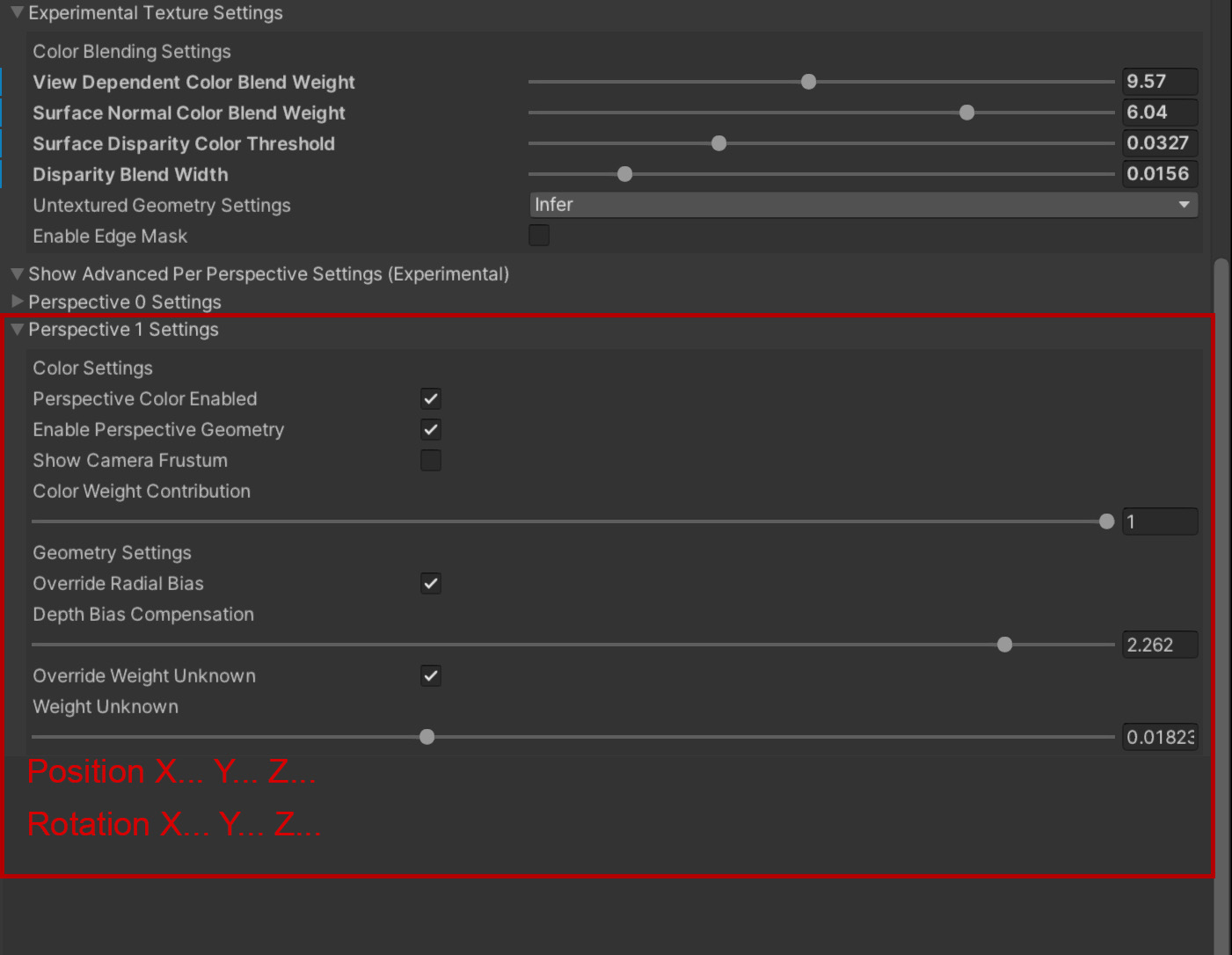
Is there an easy way to integrate micro controls of transform and rotation for all three axis in Advanced Per Perspective Settings section? To quickly compensate that shift for a certain sensor. Theoretically it’s easy to implement, isn’t it? Currently, Depth Bias Compensation can slightly fix this, but it’s not flexible and doesn’t help properly in my case.
I have this kind of footage with a couple of shifted sensors right now and if it’s a few lines of code to put in your Depthkit Studio Mesh Source component to implement this, it would be so helpful. Otherwise, the only way to use this footage is to switch off those sensors completely and get distortions on that side. Perhaps this feature would be useful for other teams too.
Thank you